
Understand this result with click test. Keep the task and input settings visible when comparing results.
What does the tapping speed test count?
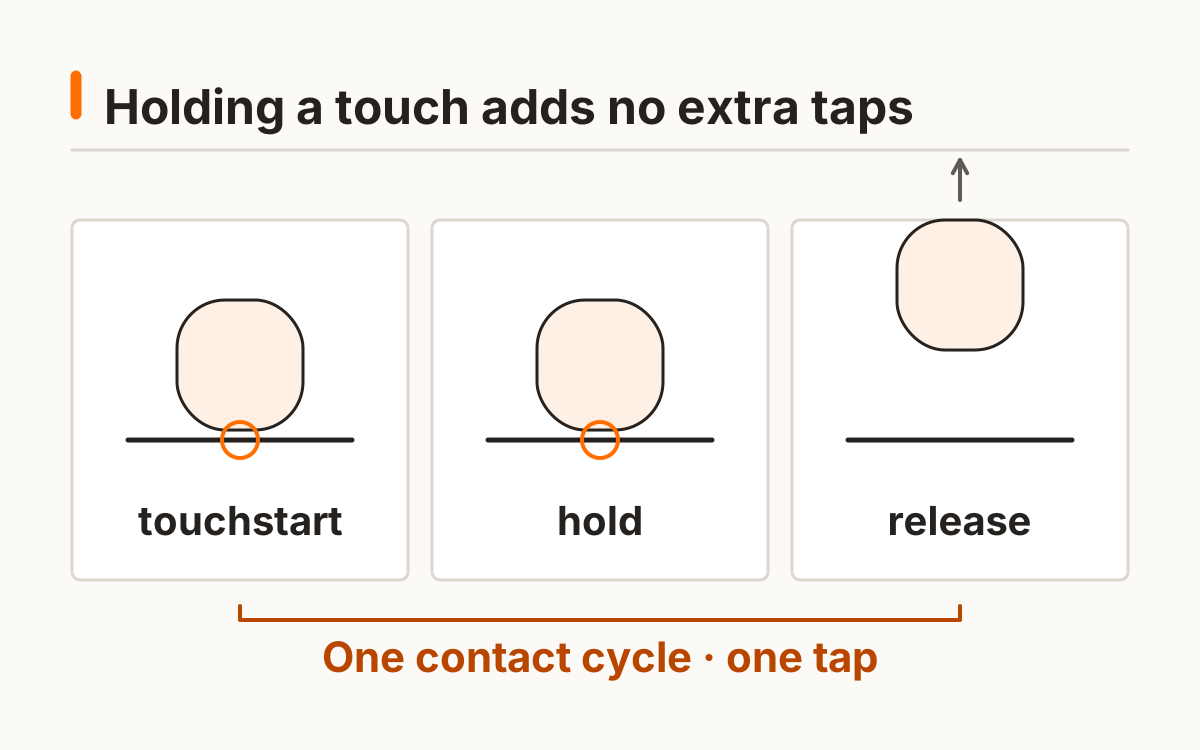
The tapping speed test counts touch contacts during a ten-second burst. The first accepted touch starts the clock and counts once. Subsequent contacts count only within the window and after the active finger has been released.
This route is touch-only. Mouse users can follow the click-test link rather than receive a mislabeled touch score. The result shows total taps, taps per second, and accepted counts in each second. These are repeated-contact measurements, not signal-response latencies.
- Choose a hand label before starting.
- Use one active touch contact at a time.
- Release and touch again for each new tap.
- Wait for completion, then rest before another burst.
The tapping speed test defines a tap as a new accepted contact, not contact duration. Its first touch starts the window. A simultaneous second pointer does not add a second tap while an accepted contact remains active.
Which touch contacts count in the tapping speed test?
One accepted touch contact counts once, and that pointer must end before another contact is accepted. Holding a finger does not repeat a tap. Simultaneous contacts are rejected while one is active. Sixty valid contact cycles in ten seconds give 6 taps per second.
The timer uses a monotonic browser clock. See the documentation for the software time reference and resolution limits. MDN browser timing documentation.
Finger speed test: can you compare hands?
You can compare hand-labeled finger speed test bursts on the same setup, provided the rules and duration match. Left, right, and unspecified are simple labels for your log; they do not collect identity or establish handedness.
Keep the device position, contact area, and technique similar. A difference between hand labels is a game observation, not a neurological conclusion. Do not interpret a short tapping speed test as an assessment of asymmetry or health.
Choose the hand label before a burst and rest before the next. The label records your selection; the site does not verify anatomy, dominance, or technique. A difference between labels is not a health judgment.
Tap speed test: how are bursts recorded?
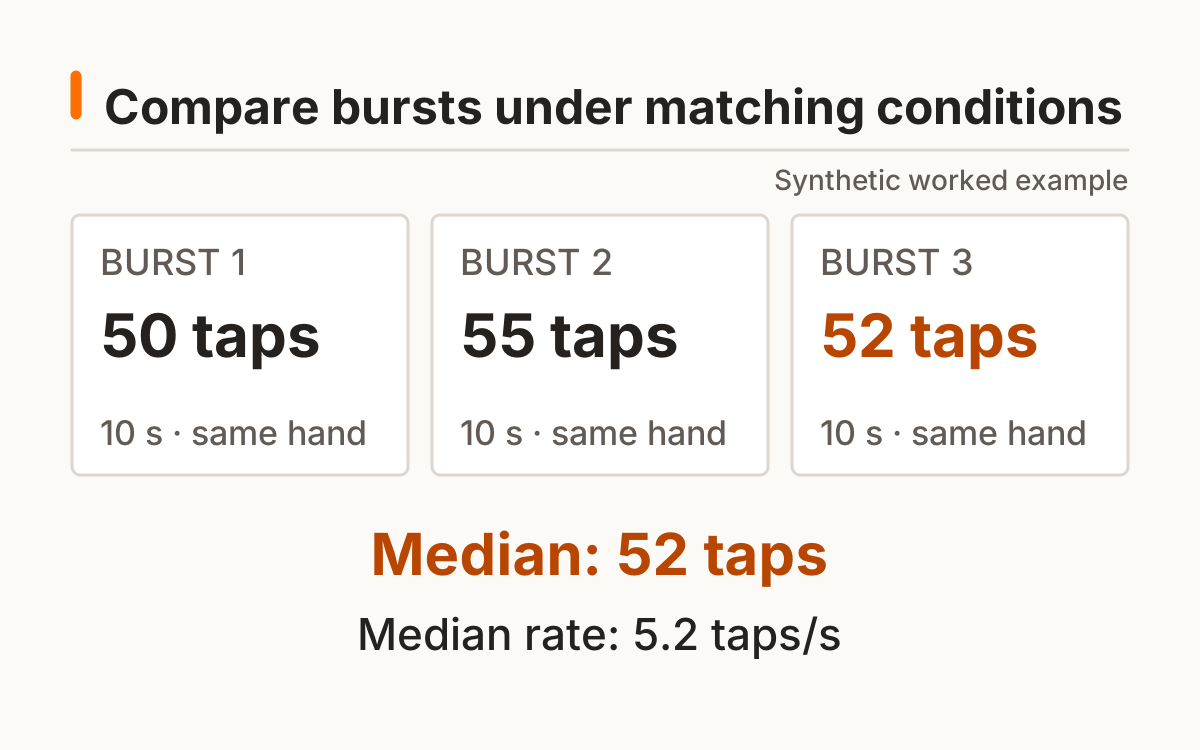
A tap speed test burst records its total and ten-second denominator. The site supports up to three matching bursts with manual rest between them. The median of completed burst rates is shown separately from each rate.
Changing the hand label begins a new active burst series. History retains the label so exported records can be grouped by the same protocol. Per-second bins show accepted events over time, not an estimate of why the rate varied.
With two completed rates, the median is their midpoint; with three it is the middle sorted rate. Keep the burst count beside that summary so one observation is not mistaken for a multi-run result.
| Recorded field | Meaning |
|---|---|
| Tap count | Accepted contact cycles |
| Taps per second | Count ÷ 10 seconds |
| Hand label | Chosen session condition |
| Burst median | Middle completed matching burst rate |
How is tapping different from reaction timing?
Repeated tapping and reaction timing have different endpoints. The tapping speed test counts a series over a fixed window; a reaction task measures an interval after a cue. A high tap rate does not automatically imply a short reaction interval.
Use the visual response tool for a signal-to-input baseline, and the click tool for a mouse counting window. This touch protocol keeps its own rules and labels. The score does not diagnose a condition or claim a population norm.
A tap speed test records contacts accepted by the browser. It cannot separately measure finger movement and touchscreen delay. Use the reaction tool for cue-to-input timing and preserve the difference between these measures.
Frequently asked questions
Can I use a mouse here?
Use the linked click test for mouse input.
Does holding a finger count repeatedly?
No; release before a new touch.
Can I use two fingers?
This protocol accepts one active contact at a time.
Does hand difference diagnose a problem?
No; the game does not provide medical interpretation.
Are taps per second reaction time?
No; repeated tapping is a different measurement.
Sources and method
MDN browser timing documentation. Read this source within its own method; the protocol and synthetic examples on this page describe this site’s implementation.
Published October 20, 2026 · human-reactiontimetest.com · Report a correction