
Understand this result with reaction time test. Keep the task and input settings visible when comparing results.
What does the aim test measure?
The aim test measures target acquisition on this page. You find one visible target, move to it, and press it. The hit interval runs from its software appearance to a successful pointerdown, so the result includes visual search and movement as well as responding to a signal.
Start is outside the playing area. After each successful hit, the next target appears on the next animation frame at a new random position. Thirty successful hits finish the set. Misses remain visible in the session count so accuracy is not hidden behind a fast median.
- Choose mouse or touch before the set.
- Select one target at a time until all thirty are hit.
- Review every hit interval and the separate miss count.
- Retain the panel dimensions and target diameter with the result.
The aim test retains a missed target’s timer until the successful hit. Removing that time would make an inaccurate attempt appear faster. Miss count and successful hit distribution answer different parts of the set and should be read together.
How does an aim test treat a missed target?
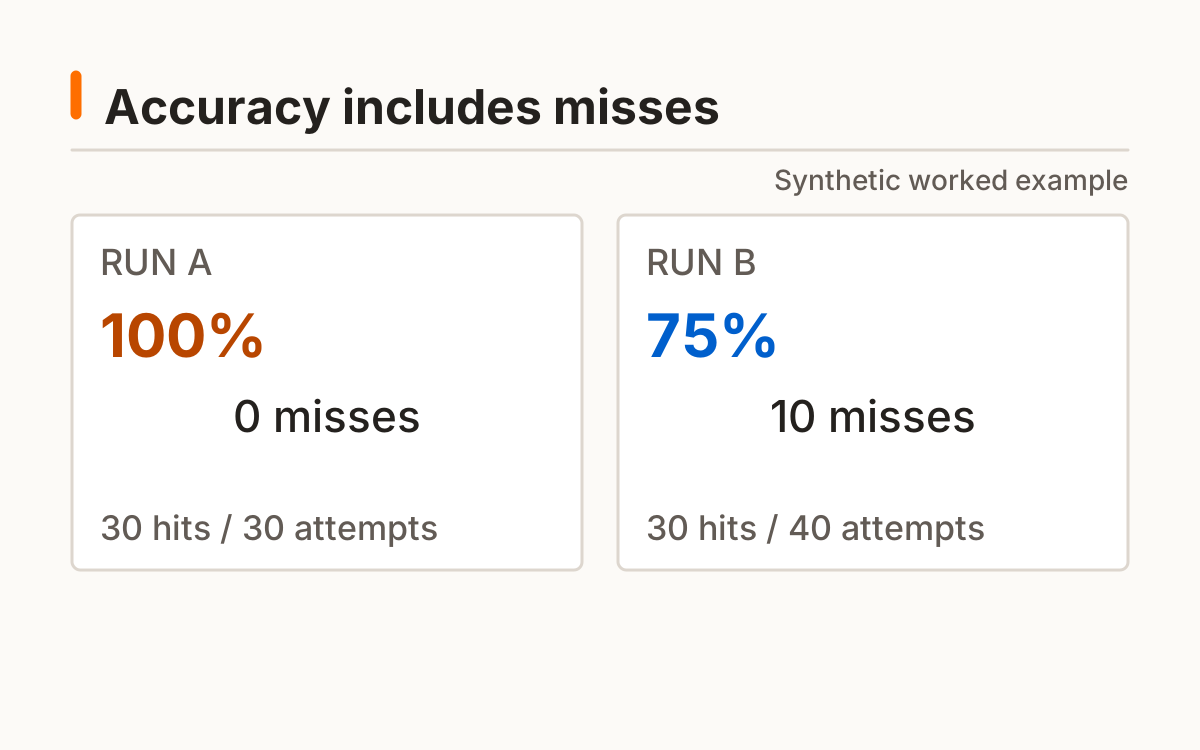
A missed target adds one miss and leaves the same target visible. Its timer keeps running until you hit it. One pointerdown can finish only the current target: the next target appears on a later animation frame. Thirty hits and ten misses give 30 ÷ 40 = 75% accuracy.
The timer uses a monotonic browser clock. See the documentation for the software time reference and resolution limits. MDN browser timing documentation.
Aim trainer: how should you choose target size?
Choose a target size that you can select comfortably. The aim trainer defaults to a 48 CSS-pixel diameter, with 32 and 64 available. This is a layout measurement in CSS pixels, not a claim about physical millimeters on every display. A change in zoom or screen density can change the physical experience.
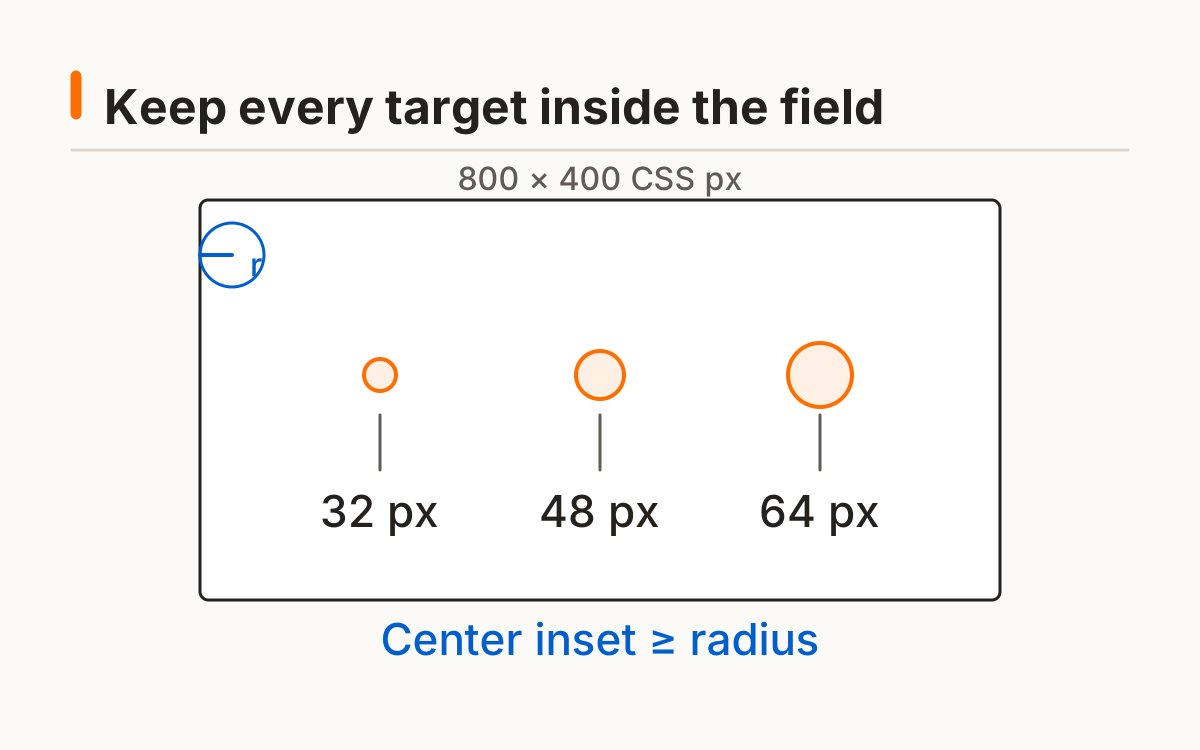
Targets are positioned inside the panel with an inset that accounts for their diameter. On a narrow screen they stay fully inside the playing area. Resizing during an active set cancels it so a single distribution does not mix two different panel geometries.
Panel width and height are recorded in CSS pixels. A phone and desktop can show the same target diameter in different search areas. Preserve both dimensions when comparing; the size selector alone does not describe the geometry.
| Setting | What changes | Keep for a comparison |
|---|---|---|
| Target diameter | Selectable target area | Same CSS-pixel size |
| Panel dimensions | Area searched and crossed | Same width and height |
| Input | How a target is acquired | Mouse with mouse; touch with touch |
Aim tester results: speed or accuracy first?
Read accuracy alongside the median and individual hit times. Accuracy is hits divided by hits plus misses, multiplied by one hundred. Thirty hits with no misses produce 100% for this set. With zero attempts, the interface shows no completed percentage.
An aim tester result with fewer misses and a longer median represents a different speed-and-accuracy balance from a fast but inaccurate run. Neither alone establishes a gaming rank. Inspect the distribution rather than discarding a slow target simply because it makes the mean less attractive.
Inspect unusually long hit intervals before explaining a change. The median describes the middle, while the mean reflects every value. Neither is isolated reaction speed because finding and reaching the target remain included in both statistics.
How can you repeat the same protocol?
Repeat the aim test with matching size, panel dimensions, input, and zoom. Keep a similar starting posture and avoid changing pointer settings between comparison sets. Optional local history and export retain the settings needed to identify the protocol later.
Thirty target hits give a description of this particular task. Familiarity can affect later sets, and a different game may use different targets, timing, movement, or camera control. This original aim trainer does not claim to predict competitive performance or transfer a measured gain into another activity.
Change settings deliberately and label the new set. A complete 48-pixel set and a later 64-pixel set describe different tasks. Their difference should not be called an improvement in the same aim test without preserving that change in target size.
Frequently asked questions
Is this the same as a reaction test?
No; finding and moving to the target adds other task demands.
Can I use a touchscreen?
Yes; the result labels touch so it is not silently compared with mouse input.
Do misses slow the next target?
The current target remains until hit; misses are separately counted.
Why record target size?
It changes the task, so comparisons need the same setting.
Will it improve my game rank?
No such outcome is promised.
Sources and method
MDN browser timing documentation. Read this source within its own method; the protocol and synthetic examples on this page describe this site’s implementation.
Published October 20, 2026 · human-reactiontimetest.com · Report a correction