
Understand this result with reaction time test. Keep the task and input settings visible when comparing results.
Reaction time test spacebar: how is the session timed?
The reaction time test spacebar protocol times a visual signal to a fresh Space keydown. Start with Enter while the test panel has focus. After the variable wait, press Space when the panel says “Respond now.” Five valid responses complete the session.
The timing endpoint is the browser receiving keydown, rather than the physical switch closing inside a keyboard. The display and keyboard path remain part of the result. Use the same keyboard, browser, and device if you want a personal comparison that keeps those effects reasonably consistent.
- Focus the panel using Tab or a pointer.
- Press Enter to start a round.
- Wait for the visible response cue.
- Press and release Space, then use Enter for the next round.
The reaction time test spacebar panel owns shortcuts only while focused. It does not install a page-wide shortcut that stops ordinary reading. Visible focus outlines show whether the next key press belongs to the task or surrounding page.
Reaction time test spacebar: what if the key is held?
Holding Space cannot add multiple attempts. Automatically repeated keydowns are ignored, and the key must be released before it can register again. The scored event is a fresh Space keydown, while Enter starts or advances a round. Releasing the key does not stop the response timer.
The timer uses a monotonic browser clock. See the documentation for the software time reference and resolution limits. MDN browser timing documentation.
Reaction time test with keyboard: which event counts?
Keydown is the scored event in this reaction time test with keyboard input. A release event rearms the key for a later press. Operating-system repeat events are filtered, so keeping the key held does not manufacture a sequence of rapid responses.
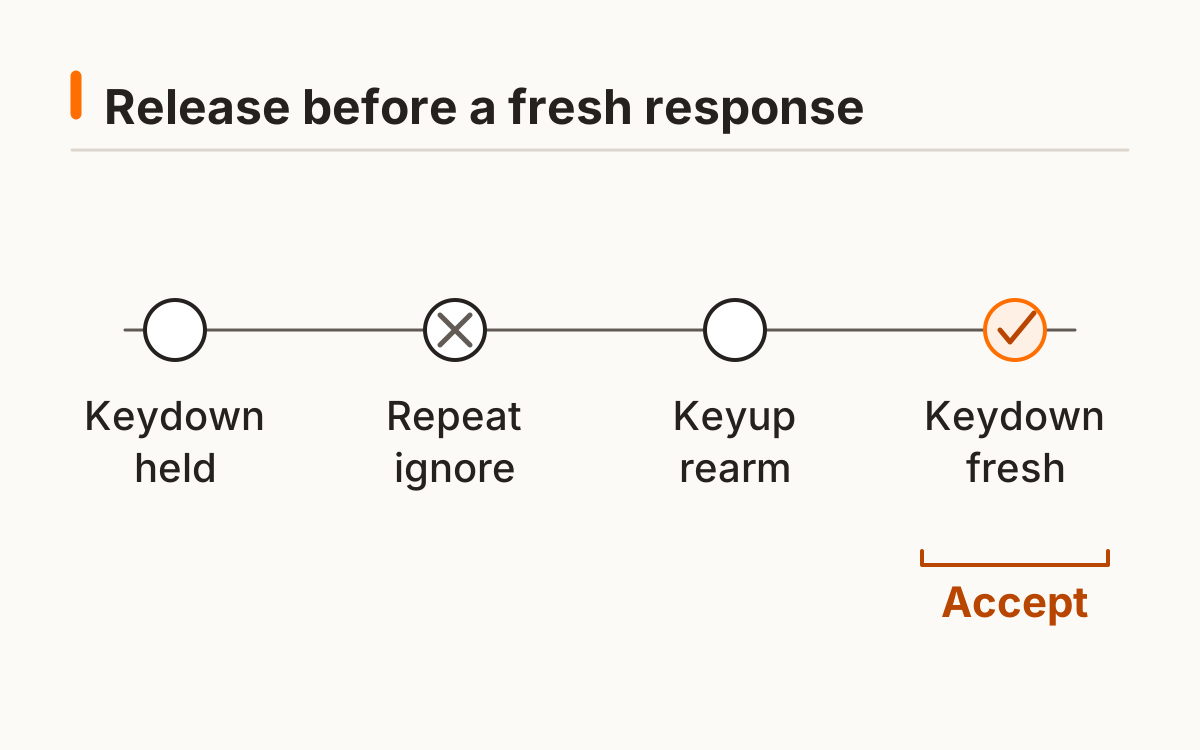
A keyboard can send different physical and software events over time. This protocol intentionally chooses one endpoint instead of mixing keydown in one round with keyup in another. In the reaction time test spacebar results, input is always recorded as keyboard rather than inferred from a later click.
The repeat filter ignores automatically repeated browser events and tracks a pressed key until release. This defines the ordinary held-key case. It is not a promise of cheat-proof input or a physical calibration of a keyboard switch.
How can you keep focus during a session?
Keep focus inside the test during a round. Space is captured only while this focused surface owns the task; outside it, normal page behavior remains available. Tab moves you to other controls and allows you to leave the task without a keyboard trap.
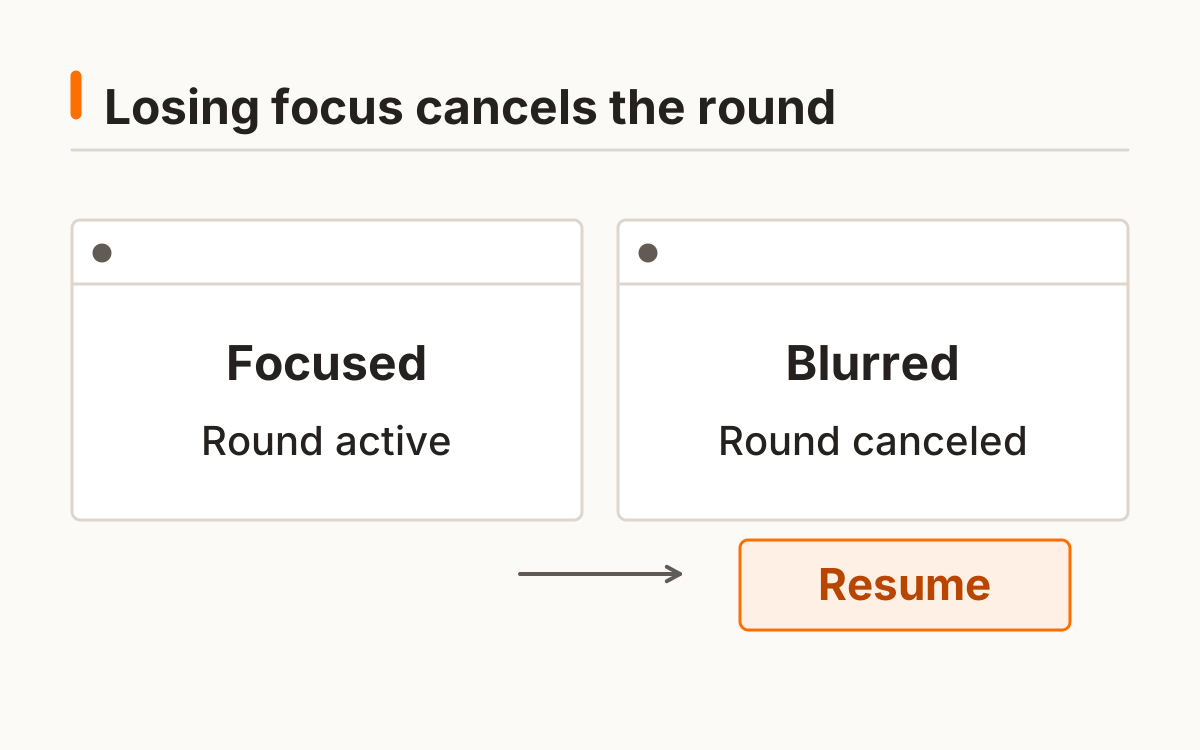
Leaving the window, changing tabs, or moving focus away from the tool invalidates an active waiting or response round. Resume begins a new wait and does not fill the sample with an interruption. A visible pause message explains why the current round needs repeating.
Use Tab to reach the panel, Enter to start, and Space after the cue. If you move to another page element during the wait, resume the cancelled round. The focus requirement remains explicit without trapping the keyboard inside the test.
Why can a keyboard score differ from a mouse score?
Keyboard and mouse scores can differ because they use different switches, input processing, and movements. This reaction time test with keyboard input does not declare one device universally faster. Keep input-specific histories separate rather than averaging a keyboard session with a mouse session.
Use the standard visual test if you want a pointer-based baseline. The reaction time test spacebar route exists for the distinct focus, repeat-suppression, and fresh-key protocol. Its five-trial results still show median, mean, and early responses, with optional local saving and export.
Note a changed keyboard, browser, or connection path. The reaction time test spacebar result cannot identify which part caused a difference. Start a new comparison series after a substantial setup change rather than assigning every difference to personal response ability.
Frequently asked questions
Does holding Space make the score faster?
No; repeat events are ignored.
Why did my page scroll?
Only the focused active test captures Space.
Does keyup stop the timer?
No; the first valid keydown is the scored response.
Can I use Enter instead?
Enter controls start/retry; this route scores fresh Space presses.
Is keyboard always faster?
No universal hardware comparison is claimed.
Sources and method
MDN browser timing documentation. Read this source within its own method; the protocol and synthetic examples on this page describe this site’s implementation.
Held-key handling: MDN KeyboardEvent.repeat documentation. The tool also tracks release before rearming.
Published October 20, 2026 · human-reactiontimetest.com · Report a correction